Roblox · Ball Game
Based on Ball game open source , supplied as ball game.rbxl. Keep the original rules: wait 5 seconds, push a pink ball around three offset brick walls, touch WinPiece, turn the ball gold, and show Winner.
Inspect the original
Open and play the original in Roblox Studio, then stop and inspect scripts, avatar, scene, and properties without changing the .rbxl.
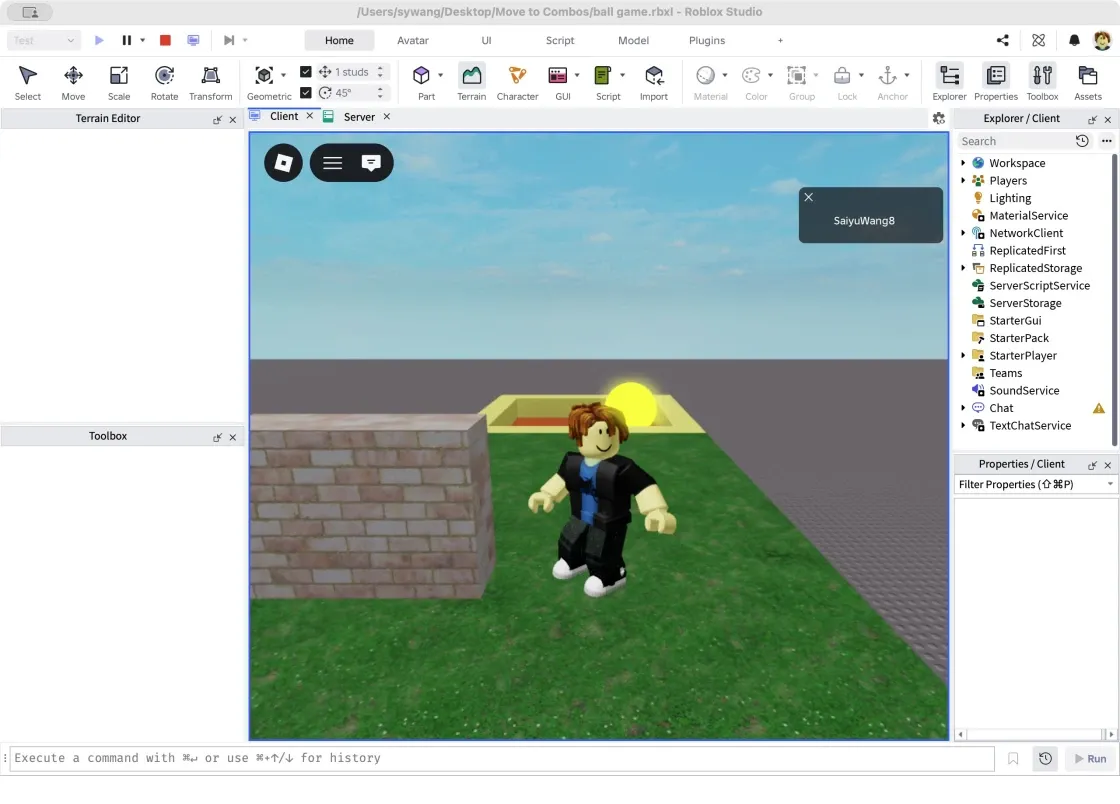
Original Roblox character, grass, walls, gray base, and finish.
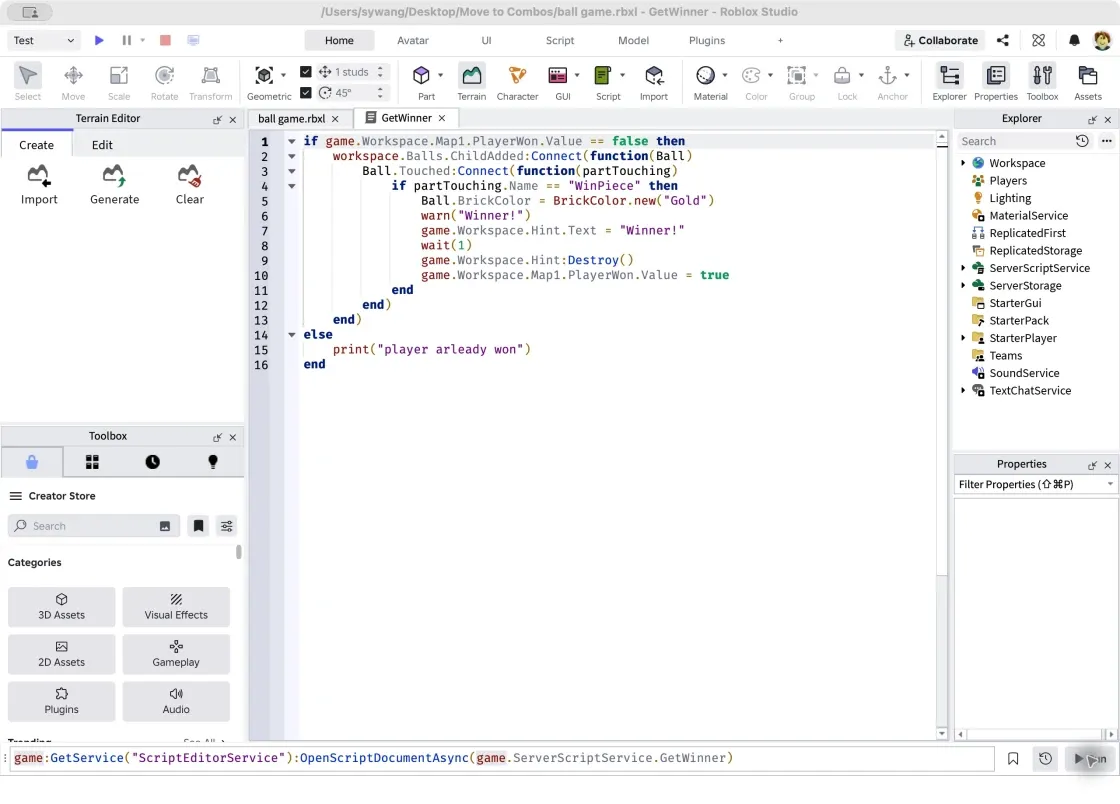
The original GetWinner script listens for ball contact with WinPiece.
Two scripts handle spawning and winning; Roblox supplies rendering, characters, input, camera, animation, physics, and the server runtime. The original ball is 5×5×5 studs, grass 18×1×74, and wall centers (22,17.5,34), (32,17.5,15), (21.5,17.5,-4). These values belong only to this example.
Ball.Touched:Connect(function(partTouching)
    if partTouching.Name == "WinPiece" then
        Ball.BrickColor = BrickColor.new("Gold")
        warn("Winner!")
        game.Workspace.Map1.PlayerWon.Value = true
    end
end)
For a simple Part scene, this read-only Studio Command Bar snippet prints properties to Output with Play stopped. Complex meshes, textures, and rigs need separate handling; it does not export a playable H5 game.
for _, part in ipairs(workspace:GetDescendants()) do
    if part:IsA("BasePart") then
        print(part:GetFullName(), part.Position, part.Size,
            part.Material, part.Transparency)
    end
end
Map the source to H5
| Original | Browser implementation |
|---|---|
CreateBall: wait(5), Part, Neon | main.js: delay, visible mesh, and dynamic rigid body |
| GetWinner: Touched, PlayerWon | main.js: one win, gold ball, Winner UI |
| Map1, WinPiece, spawn | level.js + main.js: layout, geometry, colliders, including invisible barriers |
| Grass, brick, metal, dirt, sky | environment.js: browser materials and local textures |
| R15 Man, Pal Hair, shirt, jeans | avatar.js: 15 body segments, hair, smile, clothes, white-soled shoes |
| Humanoid and third-person camera | main.js, avatar.js, camera.js: movement, jump, animation, follow/orbit/zoom |
| Message / Hint | HTML/CSS HUD, start, pause, and win screens |
Roblox originally loads the account avatar at runtime. This version reconstructs its appearance with local geometry and textures, without importing official Roblox meshes. Simple Parts are rebuilt from their actual layout; other projects may reuse models/textures they are entitled to export.
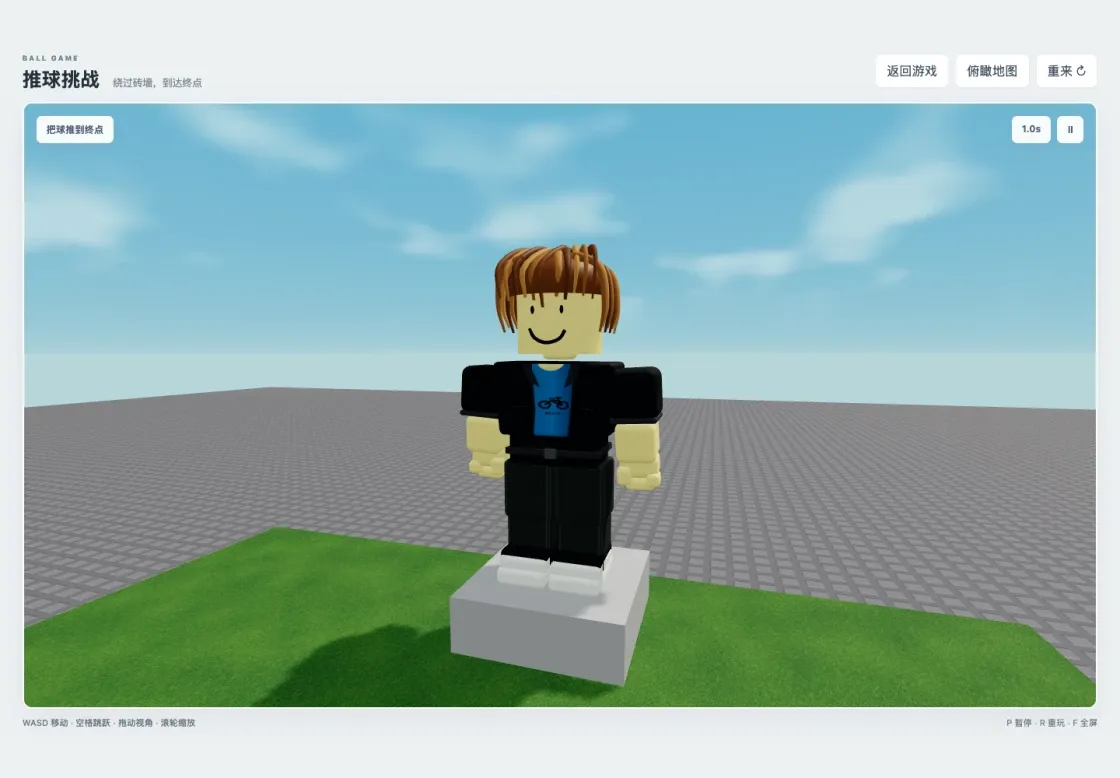
Reconstructed avatar from the front: hair, smile, blue-black top, dark trousers, and white soles.
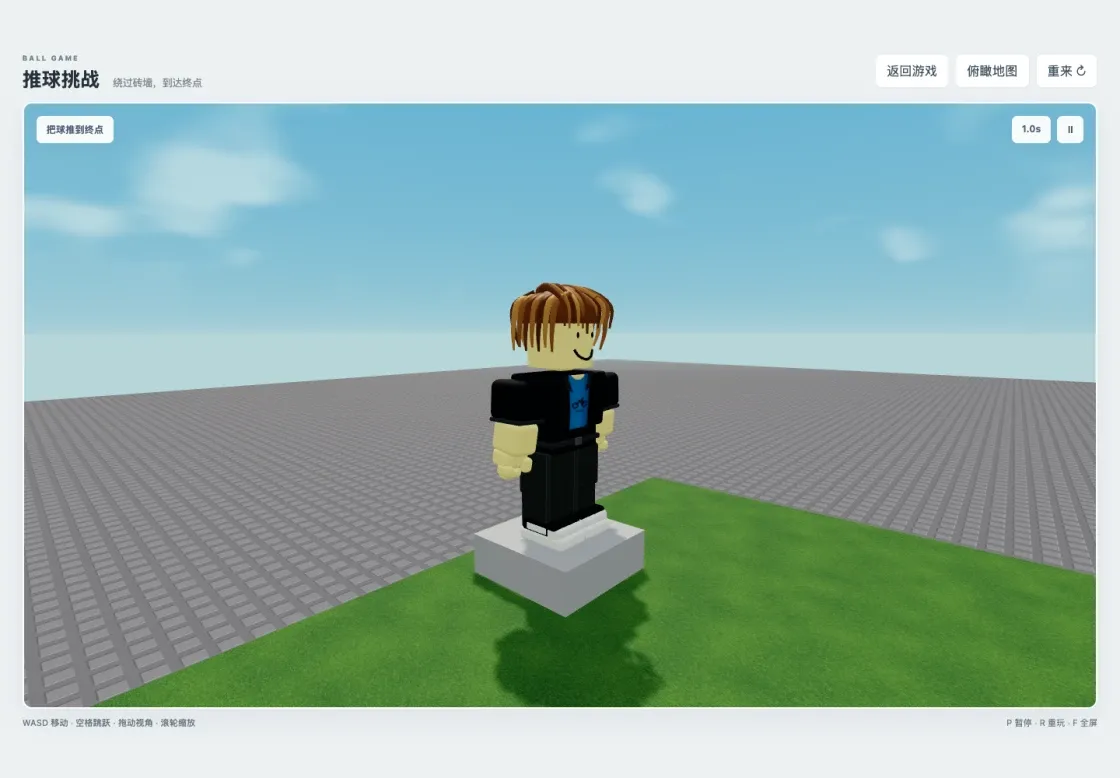
Side view showing hair, body segments, and shoes.
The example uses 1 stud = 0.3 m, origin (27,15,15), and ball radius 0.75 m. Coordinate conversion, mass, friction, rolling damping, and speed caps must be tuned for your own game.
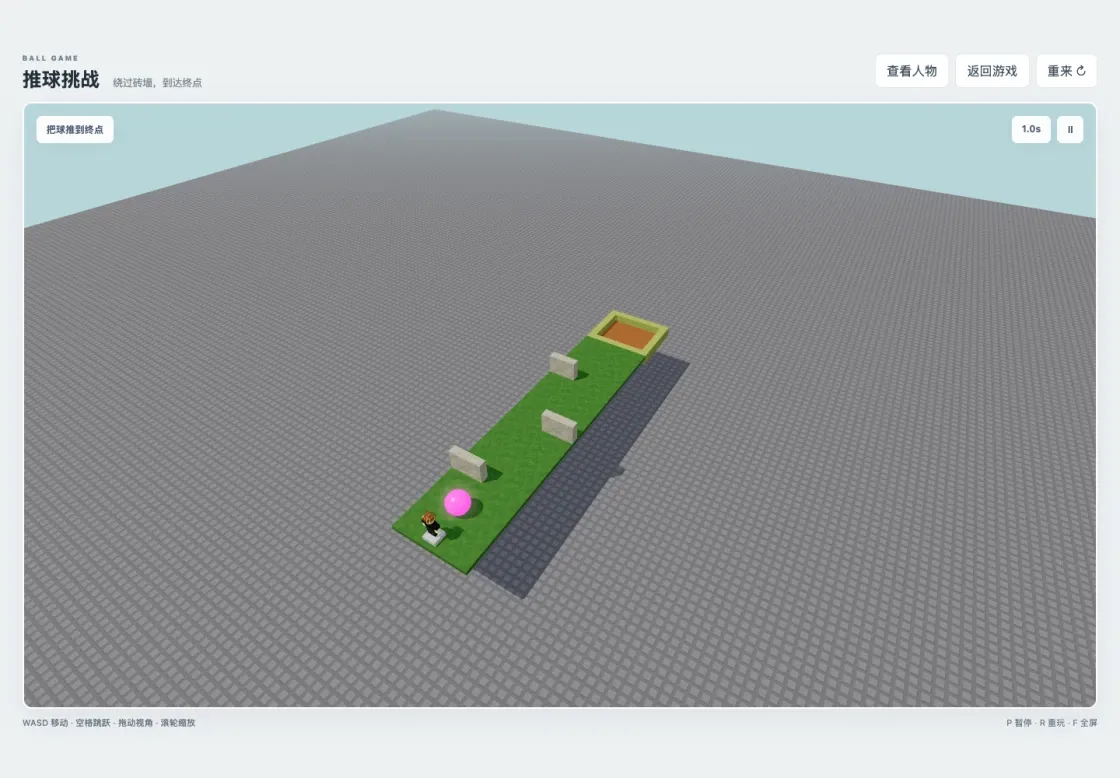
The reconstructed level preserves three obstacles, boundaries, and the finish.
ballBody.addEventListener('collide', event => {
  if (event.body !== winPiece.body || state.mode !== 'playing' || state.won) return;
  state.won = true;
  state.phase = 'finished';
  pink.color.set('#fff000');
  pink.emissive.set('#fff000');
  glow.material.color.set('#fff54b');
  document.querySelector('#status').textContent = 'Winner!';
  show('won');
});
Added browser features include touch movement/jump, pause/resume, replay, fullscreen, avatar inspection, and a WebGL-unavailable message. Roblox accounts, Robux, multiplayer synchronization, and cloud saves were not migrated. This is not a complete Roblox runtime.
Run and verify
Extract source to a new ball-game-h5 folder with package.json at its root. It includes level.js, avatar.js, environment.js, camera.js, main.js, SOURCE-MAPPING.md, and original Lua copies under reference/.
npm ci
npm run dev
Open http://127.0.0.1:5174/. The recorded folder was Move to Combos/ball-game-h5 on the desktop; use your own path. Start and wait 5 seconds for the ball. WASD/arrows move, space jumps, dragging orbits, the wheel zooms, P pauses, R replays, and F toggles fullscreen. Avatar inspection freezes the round; returning resumes it.
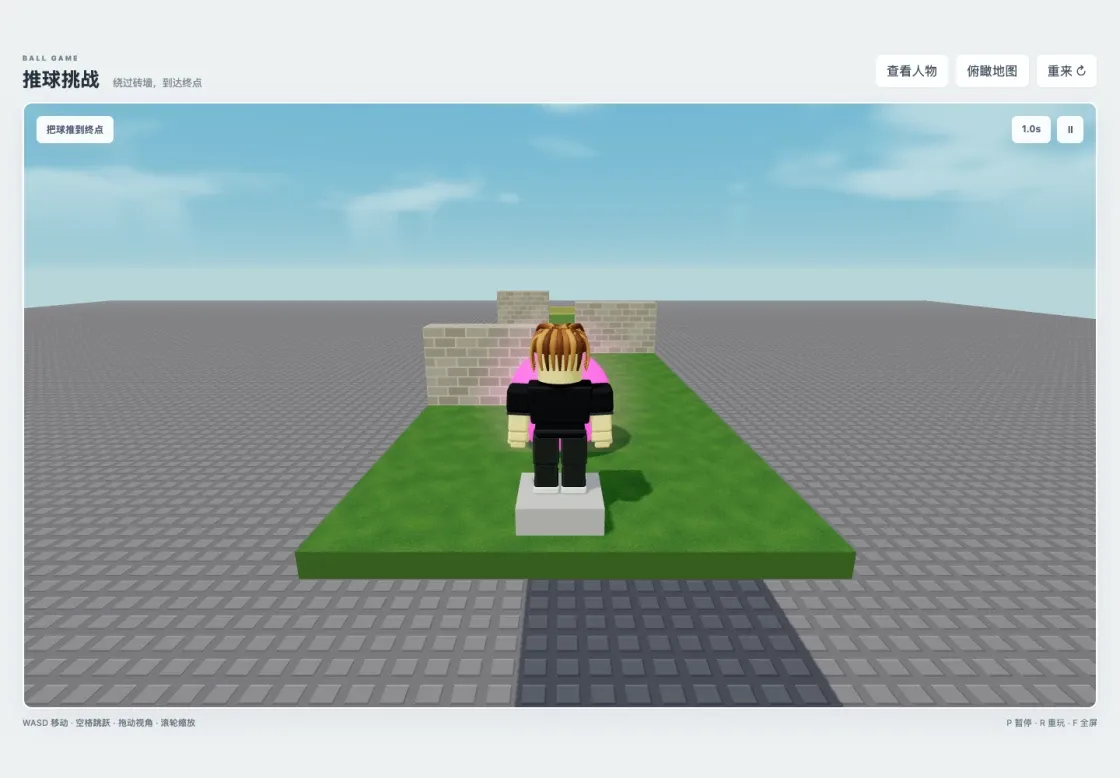
Local third-person play: physically push the pink ball.
From the default camera, pass the walls right, left, right, then enter the end recess. Actual ball contact with WinPiece turns it gold and displays Winner. The recorded local run completed a keyboard/physics win and checked landing after jumps, pause, replay, camera, and avatar inspection.
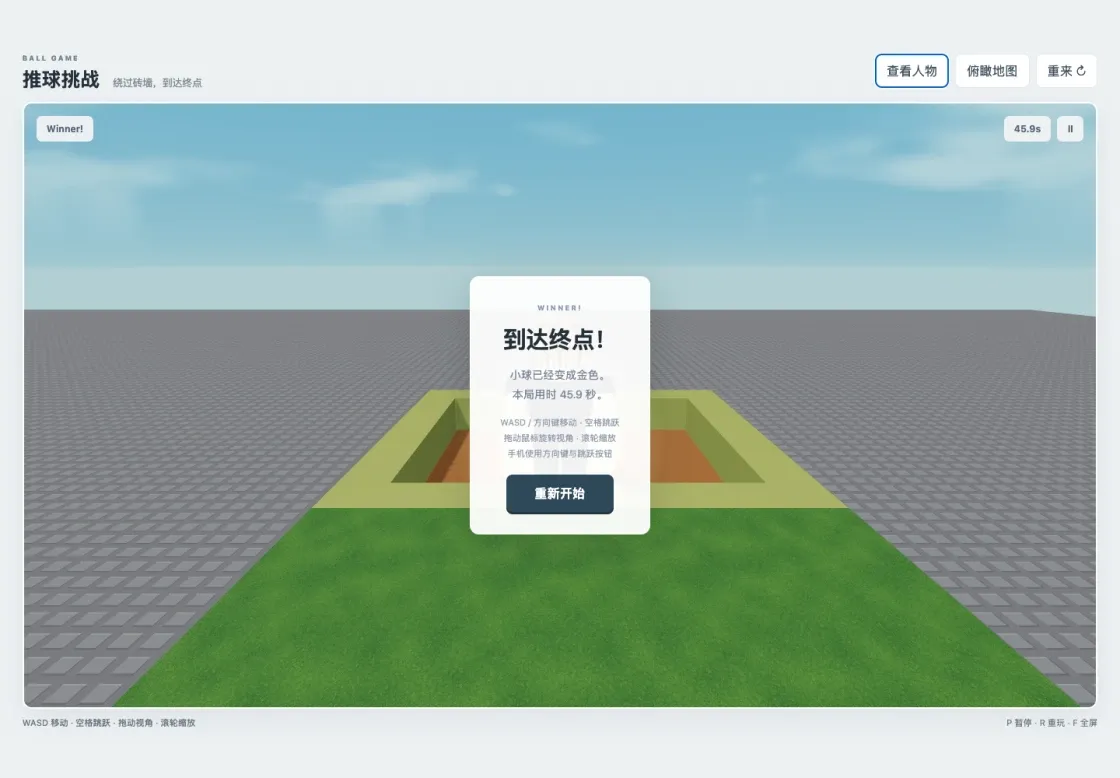
A completed local run: gold ball and Winner.
Build and publish
Stop dev and preview the finished output at http://127.0.0.1:4174/:
npm run build
npm run preview
The source includes cover.png. Create your own game, retain your binding for updates, and retest the public link with local servers stopped. The recorded character/scene update was revision 2, published with submission_is_current=true. Play Ball Game H5 , Canvas code 70261. An online keyboard win was completed; mobile buttons received viewport checks only, not real-phone acceptance.
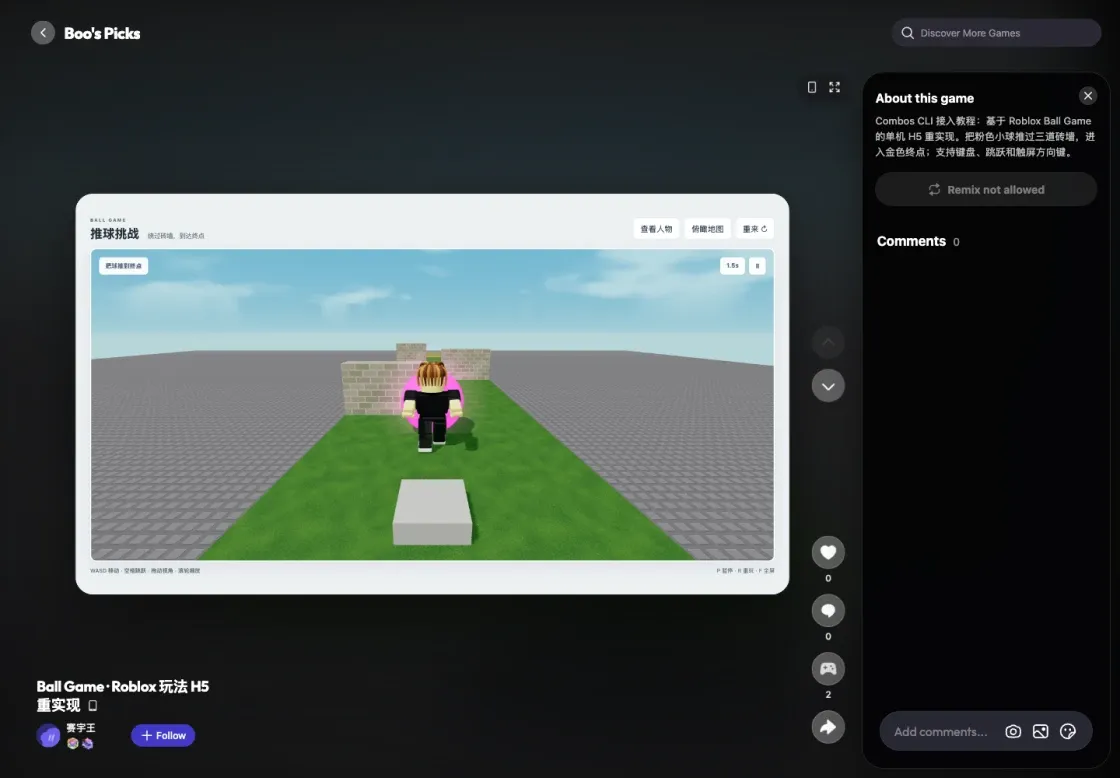
The updated Ball Game H5 on Combos with the local server stopped.
- Complete H5 source, Lua references, and source mapping
- Ready-to-run build, index.html at the extracted root
Source: Combos developer integration guide , checked on 2026-10-08 with CLI v1.14.2. Example results refer to the original recorded runs.